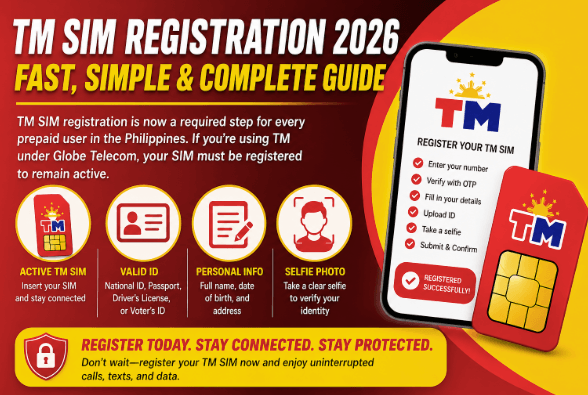
TM SIM registration is now a required step for every prepaid user in the Philippines. If you’re using TM under Globe Telecom, your SIM must be registered to remain active.
Most users don’t fail because the process is difficult—they fail because they miss small details like incorrect ID upload or wrong information. This guide is built to solve that problem. It gives you a clear, practical, and step-by-step system so you can register TM SIM card without mistakes.
What is TM SIM Registration
TM SIM registration is the process of linking your mobile number with your identity. This includes your personal details, a valid ID, and a selfie for verification.
Once completed, your SIM becomes officially verified, you can continue using calls, texts, and mobile data, and your number is protected from unauthorized use.
If you skip registration, your SIM will be blocked and eventually deactivated.
Why You Must Register Your TM SIM
The purpose of SIM registration is security and accountability. It helps reduce scam calls, prevents fake SIM usage, protects your mobile identity, and keeps telecom networks secure.
From a user perspective, it’s simple: register once and avoid future problems.
Requirements for TM SIM Registration
Before you begin, prepare everything to avoid delays.
You need an active TM SIM inserted in your phone and a stable internet connection.
Prepare your personal information including full name, date of birth, and address.
You also need a valid ID such as a national ID, passport, driver’s license, or voter’s ID.
A clear selfie is required for identity verification.
See also: The Role of Technology in Disaster Management
How to Register TM SIM Step-by-Step
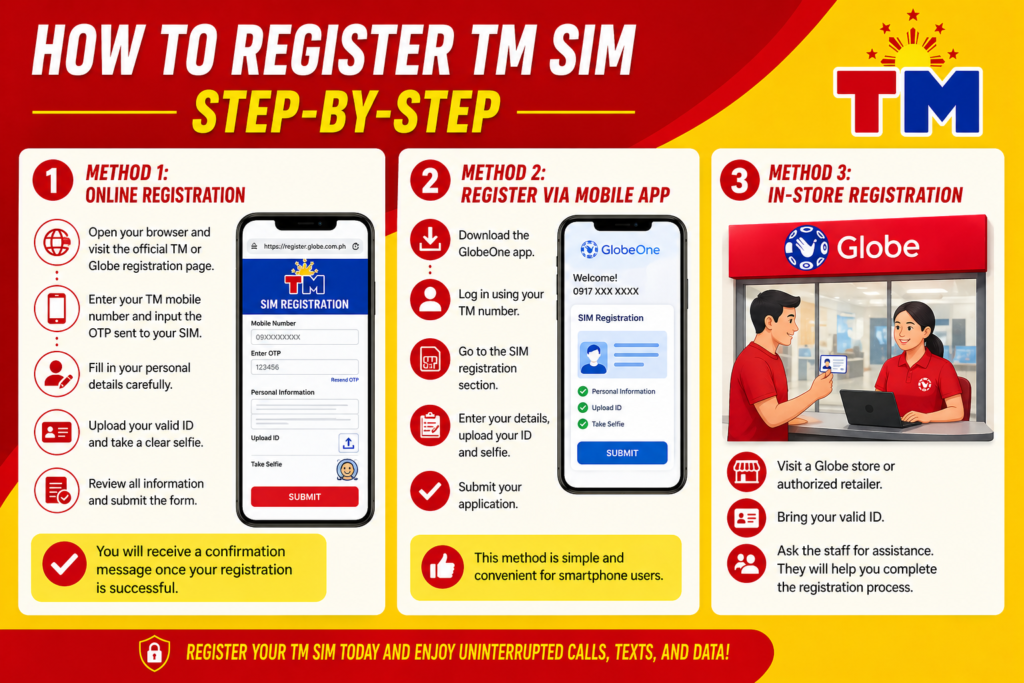
Method 1: Online Registration
Open your browser and visit the official TM or Globe registration page. Enter your TM mobile number and input the OTP sent to your SIM. Fill in your personal details carefully. Upload your valid ID and take a clear selfie. Review all information and submit the form.
You will receive a confirmation message once your registration is successful.
Method 2: Register via Mobile App
Download the GlobeOne app and log in using your TM number. Go to the SIM registration section, enter your details, upload your ID and selfie, and submit your application.
This method is simple and convenient for smartphone users.
Method 3: In-Store Registration
Visit a Globe store or authorized retailer. Bring your valid ID and ask for assistance. The staff will help you complete the registration process.
Special Cases
For minors, the SIM must be registered under a parent or guardian.
For foreign users, additional documents like a passport, visa details, and local address may be required.
Common Mistakes to Avoid
Many users face issues due to small errors. Avoid uploading blurry IDs, entering incorrect personal details, using weak internet connections, or ignoring OTP delays.
Troubleshooting
If you do not receive an OTP, check your signal, wait a few minutes, and try again.
If your ID upload fails, ensure the image is clear and properly captured.
If the website is slow, try again later or switch your internet connection.
If registration fails, double-check your details and make sure they match your ID exactly.
Tips for Successful Registration
Use a well-lit environment for your selfie. Make sure your ID is clear and not expired. Do not rush through the form. Review all details before submitting. Keep a screenshot of your confirmation.
What Happens After Registration
Once your TM SIM is registered, your number stays active and secure. You can continue using promos, calls, texts, and data without interruption.
If you do not register, your SIM may be permanently deactivated.
Frequently Asked Questions
Is TM SIM registration free?
Yes, it is completely free.
How long does it take?
It usually takes 3 to 5 minutes.
Can I register multiple SIMs?
Yes, but each SIM must be registered separately.
Can I update my details later?
Yes, through official support channels.
Final Conclusion
TM SIM registration is simple but requires accuracy. Small mistakes can delay the process, so it is important to follow each step carefully.
The best approach is to use the online method, prepare your documents in advance, and double-check your information before submitting.
Once completed, your SIM remains active, secure, and ready for uninterrupted use.